Mobile game environments
Keep props, pickups, buildings, and background clutter readable without spending the frame budget on geometry players only see from a distance.
Low-poly generator
Ask for it low poly and bunpav biases the mesh and texture toward faceted, lightweight geometry — the kind that actually holds frame rate on mobile and VR.
why it matters
Mobile and VR both live or die on draw calls and triangle count. A dense sculpted mesh that looks great in a portfolio render can tank frame rate on a phone GPU or a standalone headset.
A lower base triangle count means less work building LOD chains — you're not decimating a million-triangle mesh down through three or four levels before it's usable at a distance.
Low-poly isn't just a performance choice — flat-shaded, faceted geometry is a deliberate style. Getting the poly budget right is part of getting the look right.
real low-poly references
These are live Primitive Lab assets with visible mesh statistics—not beauty renders. They show how silhouette, color blocking, and material accents keep low-poly props readable in a game viewport.
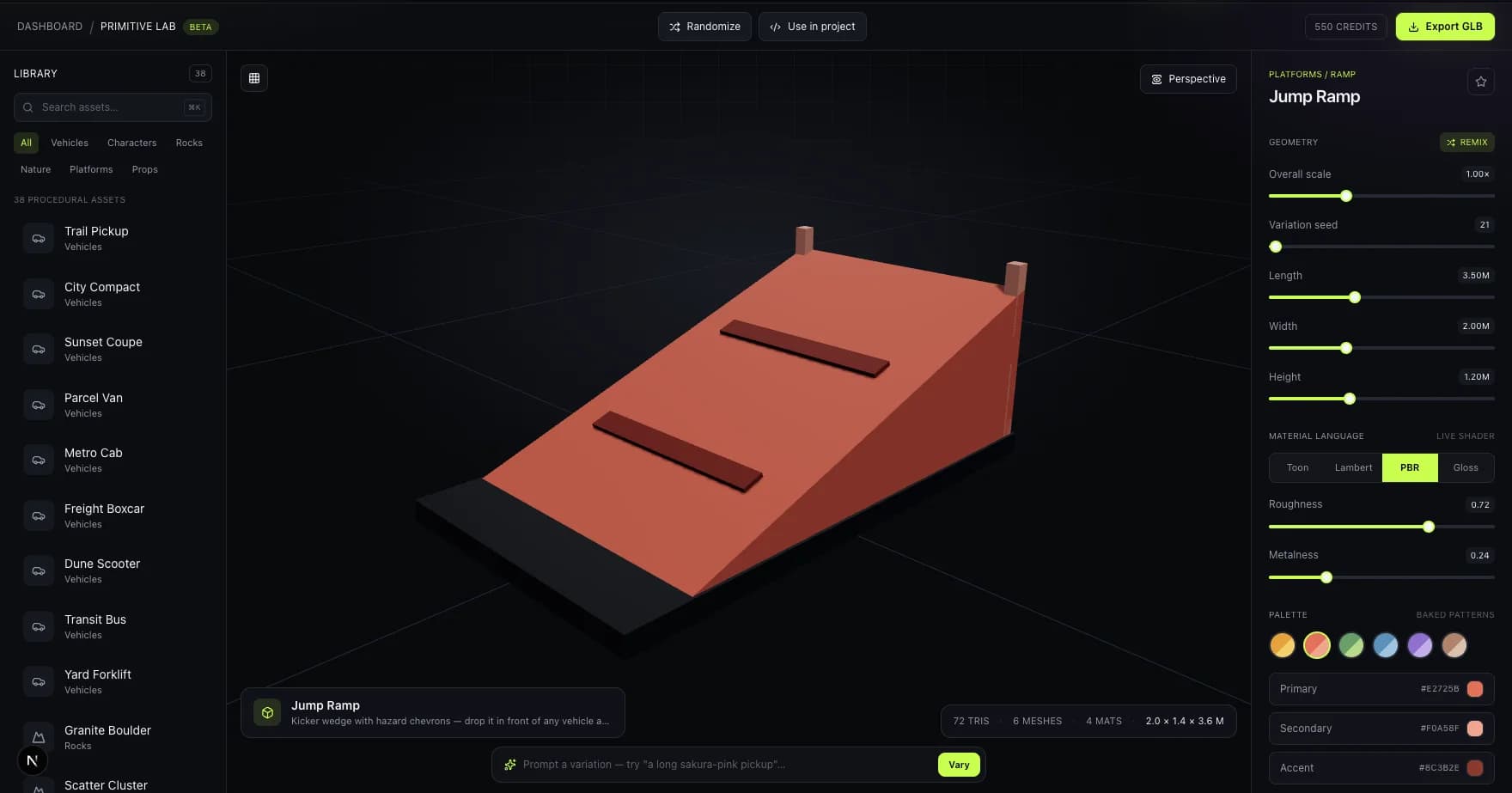
A lean gameplay prop
The live studio reports a 72-triangle jump ramp: a practical example of preserving a readable silhouette with very little geometry.
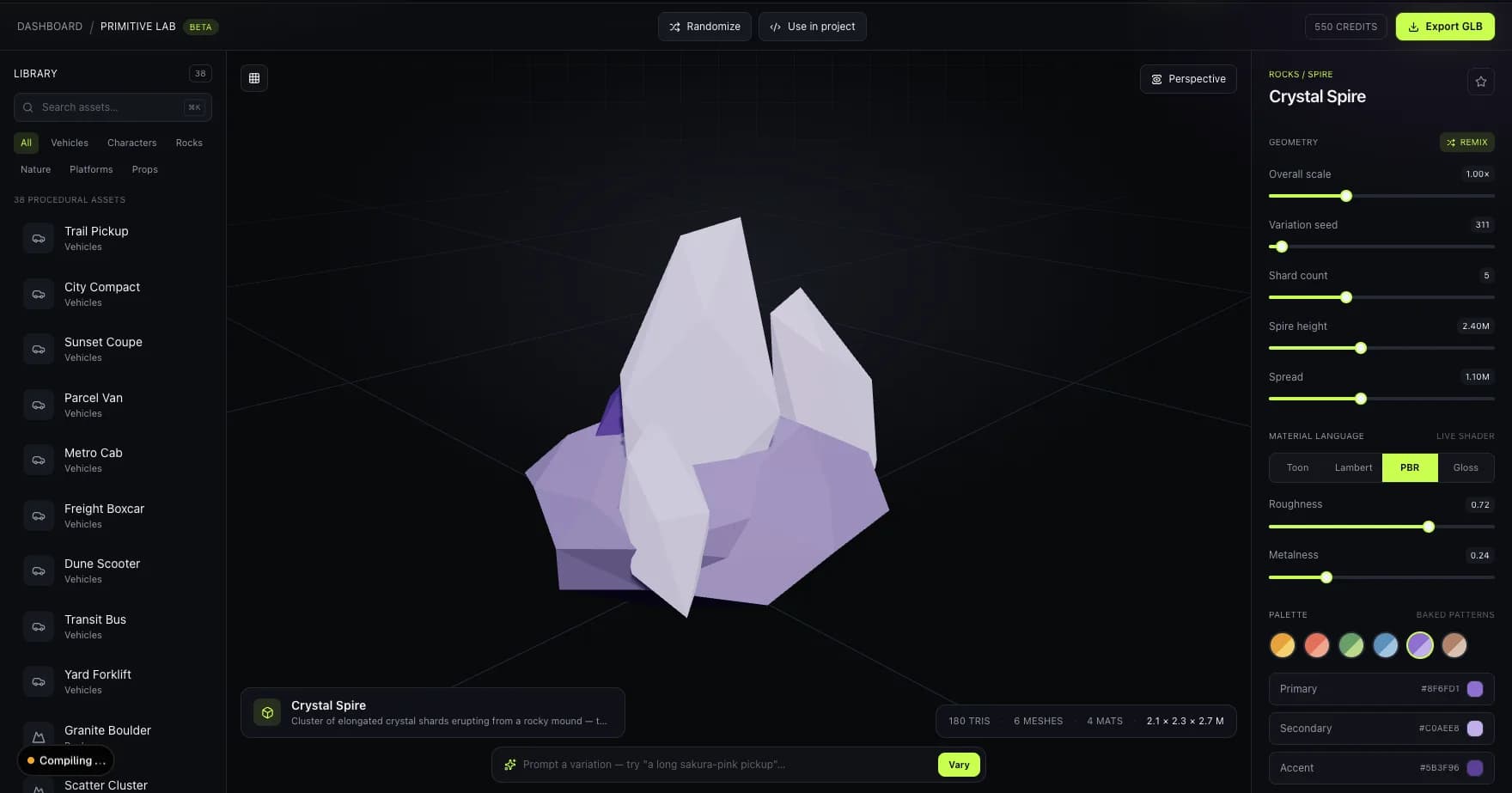
Detail through shape and color
A 180-triangle crystal spire demonstrates how faceting, palette contrast, and emissive accents can carry visual detail without a dense mesh.
Image mapping note: both captures are real procedural low-poly assets from Primitive Lab. They document the target output quality without claiming they were created by the private-beta AI generator.
how it works
Mention "low poly" or "flat-shaded" directly, plus the object — bunpav biases geometry and texture generation toward a lighter, faceted result instead of dense sculpted detail.
Check the vertex/triangle readout before export. If a result comes back denser than you need, a quick decimate pass in Blender gets it the rest of the way.
Generate several objects with the same "low poly" language in the prompt to keep triangle density and shading style consistent across a scene.
GLB keeps file size small for mobile and web builds; FBX or OBJ if your engine's importer expects them. Auto-rig still applies if the low-poly asset is a character.
low-poly use cases
Keep props, pickups, buildings, and background clutter readable without spending the frame budget on geometry players only see from a distance.
Reduce vertex processing, memory pressure, and download size when a scene must run smoothly on standalone headsets or load over the web.
Use faceted silhouettes and deliberate color blocking as an art direction, not merely as a technical compromise for weaker hardware.
pricing
Monthly plans from $9/mo for 100 credits. A low-poly generation costs the same as any other — the triangle budget is a prompt choice, not a pricing tier.
faq
Include "low poly" or "flat-shaded" in your text prompt alongside the object description, or reference a low-poly source image for image-to-3D. bunpav biases both the geometry and texture toward a lighter, faceted result instead of dense sculpted detail.
There's no universal cutoff — mobile characters often land in the low thousands of triangles, while a low-poly prop for a stylized PC game might run higher. Check the vertex/triangle readout on each generation and decimate further if your target platform needs it.
Both. Low poly began as a performance necessity on early 3D hardware and became a deliberate faceted, flat-shaded aesthetic in its own right — plenty of high-end games use it as an art direction choice, not just a budget constraint.
Yes — auto-rig applies to any humanoid or creature mesh bunpav generates, regardless of triangle density.
GLB keeps file size down for mobile and web builds. FBX or OBJ work if your engine's importer expects them, and USDZ covers Apple AR Quick Look previews.
go deeper